See what your AI agent did in your project.
X-Filer shows what Claude Code changed since your last visit — in plain words, without git or an IDE. Read and fix notes, compare before and after, put a file back as it was. And it is a full file manager with Google Drive, Yandex Disk, SFTP, WebDAV and S3 built in.
Version 0.4.0-beta.3 · Free for local files · No account needed · Updates itself
Other versions and system requirements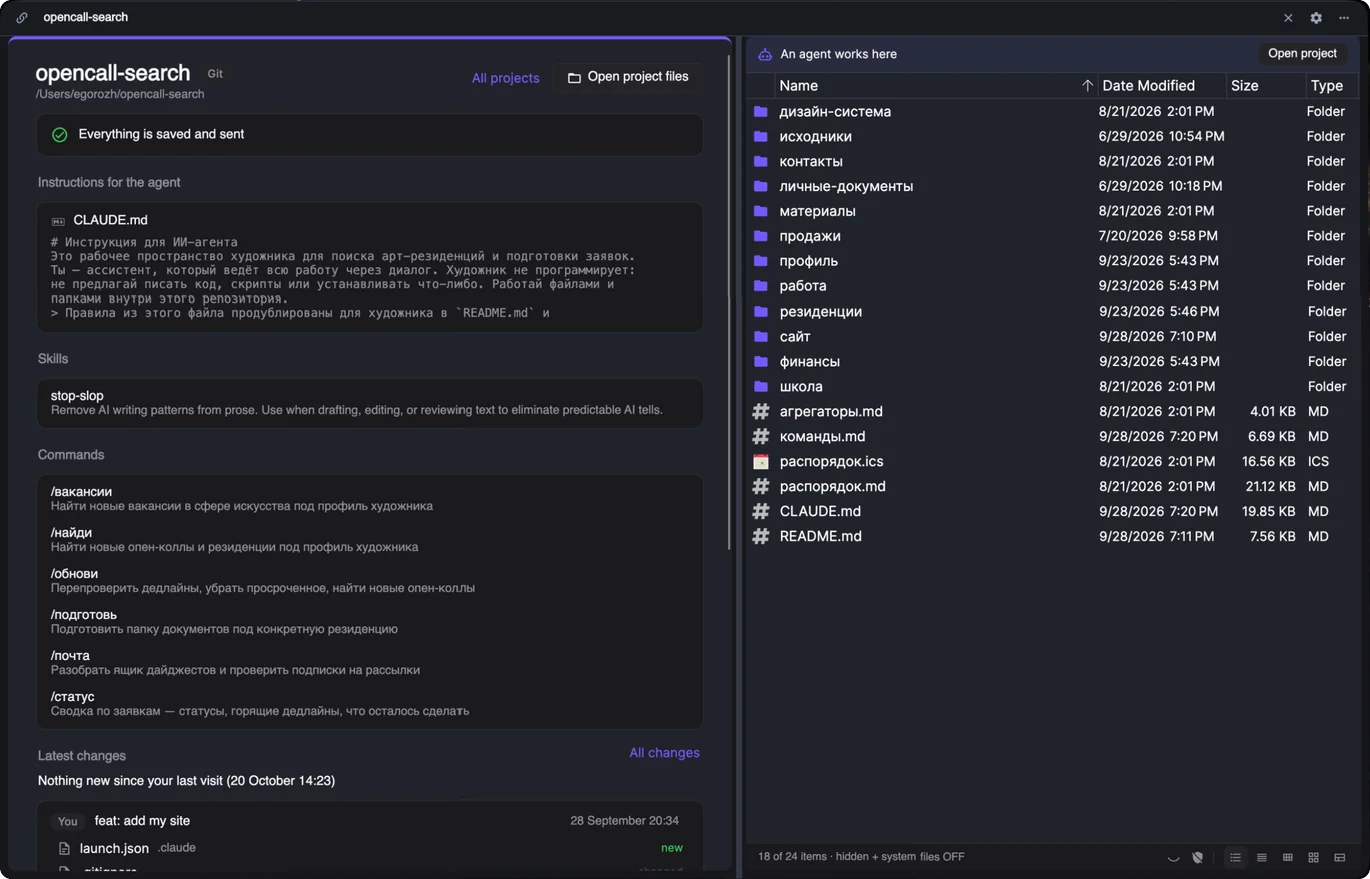
Your project, in plain words.
For writers, artists, researchers and anyone who runs a project with Claude Code and never wanted to learn git.
Since your last visit
How many new versions there are, how many came from the agent and which files they touched — grouped by day.
What changed
Notes and text compared line by line, pictures before and after, side by side.
Restore as it was
Put one file back or revert a whole version. Every undo is a new version, so nothing is ever lost.
What your agent knows
CLAUDE.md, skills, helpers and commands as a readable list instead of a .claude folder.
Read and fix it yourself
Markdown rendered, CSV as a table. Edit with a live preview — X-Filer never overwrites what the agent changed meanwhile.
Finds your projects
Folders with CLAUDE.md or .claude/ show up on their own, and X-Filer suggests how to keep each one.
Wherever the project lives
A folder on your computer
With git you get the full history of versions, “Save version” and “Send to the cloud”. Without git you still read and edit everything.
A GitHub repository
Sign in with GitHub and open the repository directly — including the changes the cloud agent proposes.
A Google Drive or Yandex Disk folder
A project in your drive's sync folder: files changed since your last visit; with Google Drive, compare and restore from revisions. macOS for now.
And a file manager that does the rest.
Clouds and servers
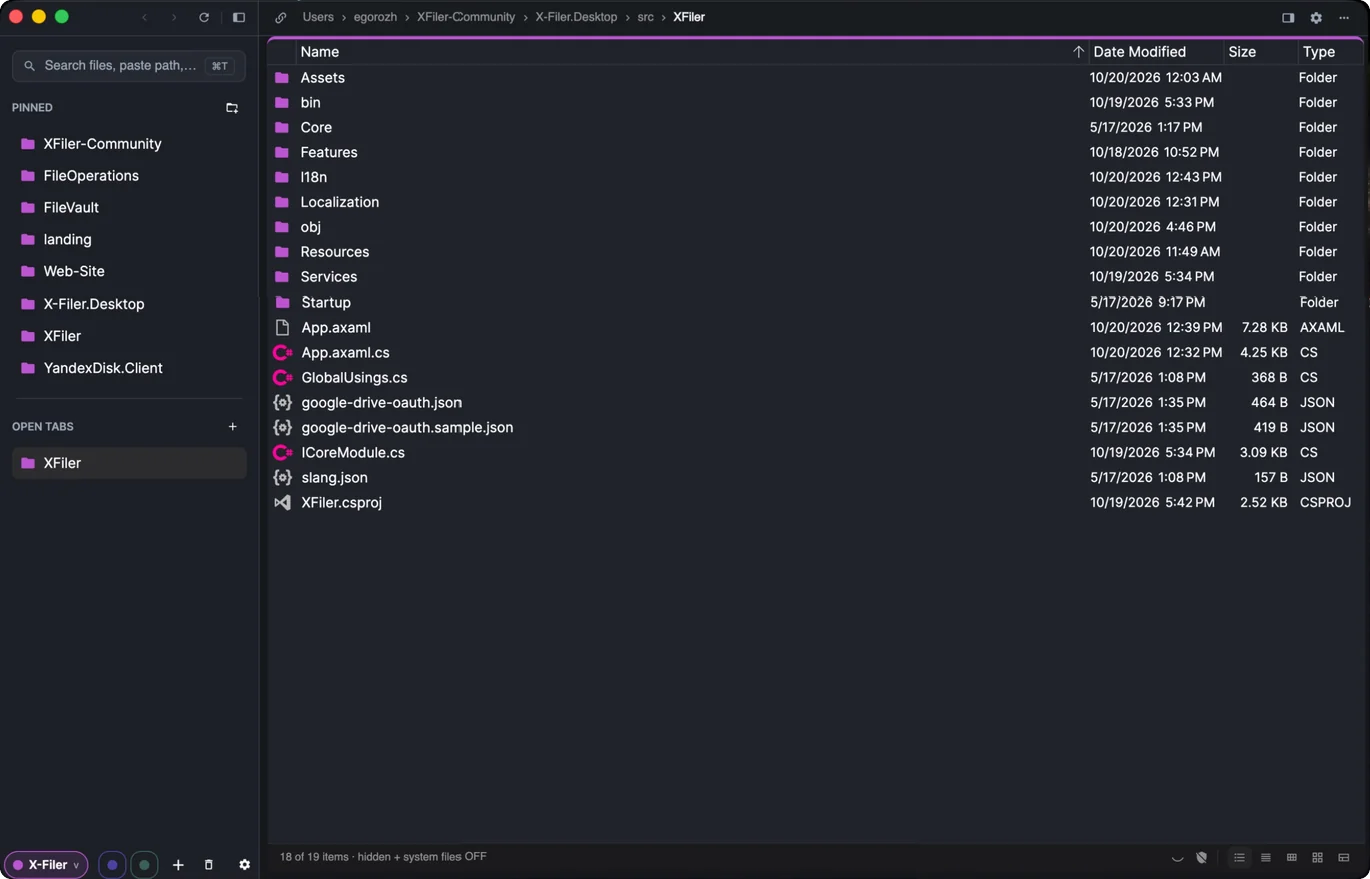
Google Drive, Yandex Disk, SFTP, FTP, WebDAV, S3 and network folders, browsed like local disks. No sync clients.
Spaces
Work, personal, projects — separate contexts with their own pinned folders, tabs and color.
Split view
Two panes side by side in one window. Drag files between them, or between a disk and a cloud.
Quick preview
Press Space for images, text, PDFs, Markdown and code with syntax highlighting. Arrow keys walk the list.
Search names and contents
Find files by name through subfolders, in the cloud too — or by the text inside them.
Undo
⌘Z / Ctrl+Z takes back a move, a rename or a trip to the trash.
Always up to date
When your agent or another app changes a folder, the list updates by itself.
Batch rename
Replace text, regex included, or number files by a pattern. See every new name before you apply; undo it in one step.
Archives as folders
Zip, 7z, rar and tar archives open with a double-click. Extract any of them, or compress to ZIP.
Folder sizes & Get Info
Folder sizes right in the list, counted in the background. Size, dates and path of any file or folder.
Works with Finder & Explorer
Drag and drop, copy and paste to and from the system file manager, Open With, Finder tags on a Mac.
Open in your editor
VS Code, Cursor, Zed, Rider, Xcode and others — X-Filer finds the ones you have installed.
Git in plain words
Any repository shows its branch on the tab. Sync, switch variants, download from GitHub — without git terms.
Launcher
⌘T / Ctrl+T jumps to any pinned folder, open tab, drive or typed path.
Free for local files
No ads, no account. Managing your own disks is free, forever.
One Space per context. Like Arc, for files.
Isolated contexts
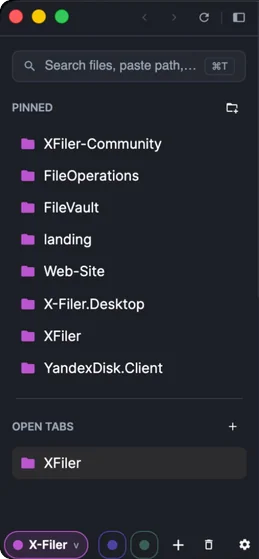
Each Space keeps its own pinned folders and open tabs — client work never spills into your photos.
One-click switching
Colored dots at the bottom of the sidebar, one per Space.
Tabs that tidy themselves
Open tabs expire after inactivity, on close or never — your call. Pinned folders always stay.
Your clouds and servers. Right in the sidebar.
No sync folders, no browser tabs, no gigabytes of local copies.
Google Drive
SupportedSign in through your browser, then browse and manage My Drive without the Drive for desktop client.
Yandex Disk
SupportedSign in through your browser, then browse, copy, move, rename and delete like on a local disk.
SFTP & FTP
SupportedFiles on a server, with a password or an SSH key. X-Filer remembers the server's key and refuses to connect if it changes.
WebDAV
SupportedNextcloud, Synology, ownCloud and other WebDAV servers, with an app password where the server offers one.
S3-compatible storage
SupportedAmazon S3, Cloudflare R2, Backblaze B2, MinIO, Yandex Object Storage. One bucket becomes one drive.
Network folders (SMB)
SupportedShared folders on a NAS or another computer, connected through your system.
iCloud Drive
SupportedOn a Mac: your iCloud Drive in the sidebar, with Download Now and Remove Download for each file.
WSL
SupportedOn Windows: the files of your Linux distributions. WSL starts one when you open its drive.
In Google Drive and Yandex Disk, search goes through subfolders and Copy Public Link puts a share link on your clipboard. Passwords and keys are kept in the system keychain.
Coming next: OneDrive · Dropbox
Get X-Filer
Natively compiled apps — no .NET runtime to install. X-Filer checks for updates in the background and installs them on the next start.
Version 0.4.0-beta.3 (pre-release) · released October 28, 2026 · Release notes · All releases on GitHub
Frequently asked questions
What does X-Filer do with AI agent projects?
It shows what your agent (Claude Code) changed since your last visit, compares before and after, and restores a file or reverts a whole version — without git terms. It also lists the agent's instructions and skills and lets you read and edit notes.
Do I need to know git?
No. X-Filer uses plain words: version, “Save version”, “Send to the cloud”. A project on your computer needs git installed for its history; a GitHub project needs only a GitHub sign-in.
Is X-Filer free?
Yes. Managing local files is free, forever — no ads, no account. A paid tier for power cloud features may come later; local file management will stay free.
Which cloud storage does X-Filer support?
Google Drive and Yandex Disk, plus servers and storage: SFTP, FTP, WebDAV (Nextcloud, Synology, ownCloud), S3-compatible storage, SMB network folders, iCloud Drive on a Mac and WSL on Windows. OneDrive and Dropbox are coming next.
Do I need the Google Drive or Yandex Disk desktop app?
No. X-Filer talks to the cloud directly after you sign in through your browser, so nothing is synced to your disk until you copy it.
Can X-Filer open RAR and 7z archives?
Yes. Zip, 7z, rar, tar, tar.gz, tar.bz2, tar.xz and gz open with a double-click like a read-only folder, and Extract Here unpacks any of them. Compress to ZIP is built in.
Does X-Filer collect data about me?
Only if you allow it. X-Filer asks once whether to send anonymous usage statistics and crash reports, and you can change your answer in Settings → General. Statistics never include file names, paths, drive names, accounts or tokens; crash reports hide your user name.
Does it run on Apple Silicon and Windows on ARM?
Yes. There are native builds for Apple Silicon and Intel Macs, and for x64 and ARM64 Windows.
Do I need to install .NET?
No. X-Filer is compiled ahead of time and ships self-contained.
What are Spaces?
Separate working contexts, each with its own pinned folders, open tabs and accent color — like Spaces in the Arc browser, for your files.
Is there a Linux version?
Not yet. Windows and macOS come first.
From the blog
All postsTransmit for Windows? The Closest Options in 2026
Transmit is Mac only. WinSCP, Cyberduck, FileZilla, Total Commander, RaiDrive and X-Filer compared as Transmit alternatives for Windows.
October 28, 2026 · 10 min readWinSCP for Mac? What to Use Instead in 2026
There is no WinSCP for Mac. Cyberduck, FileZilla, Transmit, ForkLift, Commander One and X-Filer compared on price, panes, SSH keys and clouds.
October 19, 2026 · 9 min readFile Manager Workspaces: Spaces, Pinned and Open Tabs
Why tab bars fail with dozens of folders, and how Arc-style Spaces, pinned folders and self-closing tabs keep projects apart in a file manager.
Have an idea or found a bug?
Feature requests and bug reports are welcome — on GitHub or by email.